

Let’s get one thing straight. For most of you, the best accounting software for small business is probably QuickBooks Online. If you're allergic to clunky interfaces, you'll want to check out Xero. And if your budget is currently "whatever's left after buying ramen," then Wave is your best friend.
There. I said it. These platforms dominate for a reason—they drag you out of spreadsheet hell so you can get back to what you’re actually supposed to be doing: running your business.
You know that shoebox of receipts you're "going to get to"? Or that "Finances_Final_v6_for_real_this_time.xlsx" file haunting your desktop? They’re not just clutter; they’re liabilities. You didn't mortgage your office ping-pong table and pour your life savings into this company just to become a stressed-out, part-time bookkeeper.
Choosing accounting software feels like another giant task on an already endless list. I get it. But it's the single best lever you can pull to get your sanity back. This isn’t about just paying bills. It’s about knowing your cash flow cold, making smarter bets on growth, and maybe—just maybe—not waking up at 3 a.m. in a cold sweat about payroll.

Let's cut to the chase. Here’s a quick-and-dirty summary to point you in the right direction. We'll get into the weeds later, but this is your starting line.
| Business Type | Top Priority | Look For This Software Type |
|---|---|---|
| Simple Service/Freelance | Basic invoicing & expense tracking | All-in-one platforms (like Wave or QuickBooks Simple Start) |
| E-commerce & Retail | Inventory management & sales channel sync | Software with strong inventory and e-commerce integrations |
| SaaS & Subscription | Revenue recognition & recurring billing | Platforms built for subscription metrics (like Stripe Billing or Chargebee) |
This table is just a starting point. Your specific needs will ultimately guide your final choice, which is exactly what the rest of this guide is here to help you figure out.
Trust me, I've been there. I tried the "free" spreadsheet templates and paid for it dearly—in wasted hours, infuriating bank reconciliations, and a few costly mistakes I’d rather forget. This guide isn't marketing fluff. Think of me as a fellow founder who already stepped on all the landmines so you don't have to.
You're not alone in this. The entire small business world is finally waking up.
The small business accounting software market is exploding. It's projected to more than double from USD 7.68 billion in 2024 to over USD 16 billion by 2035. This isn't some passing fad; it's a fundamental shift in how successful businesses are run.
That growth isn't just a number. It's proof that founders everywhere are realizing that proper software is a real competitive advantage.
At its core, good accounting software exists to automate the soul-crushing tasks you hate. The goal is to turn hours of painful manual data entry into a few minutes of review each week. It's about getting a clear, real-time picture of your business's financial health without needing a PhD to understand it.
So, what does that look like in the real world?
If your team is still drowning in paper invoices, a tool like Automated Accounts Payable Software is a no-brainer. It’s a perfect example of letting tech handle the grunt work so your people can focus on what matters. This guide will show you how to find a platform that delivers these benefits, minus the confusing jargon.
Software websites love to hit you with a feature list longer than a CVS receipt. Here's a secret from someone who's seen it all: 90% of it is just noise. They’re packing in features hoping something shiny catches your eye.
Let's cut through the fluff. You don’t need a thousand functions. You need a handful of core features that work so well you forget they exist. Nail these, and everything else is a bonus.

Effective invoicing isn’t about a pretty PDF with your logo. Any free tool can do that. Good invoicing is about one thing: cash flow velocity. How fast can you turn a sent invoice into money in your bank?
When evaluating invoicing, ask these hard questions:
Don't get dazzled by fancy templates. Focus on the engine that powers your cash flow. If the invoicing feels clunky, your bank account will feel it first.
Do you enjoy spending your evenings uploading receipt photos and categorizing transactions? Didn't think so. That's exactly what you'll be doing with bad software. It’s basically a digital spreadsheet with more steps—a colossal waste of your time.
The goal is to make expense tracking an afterthought. The best systems connect directly to your business bank accounts and credit cards, automatically pulling in every transaction.
Modern software learns your spending. That lunch with a client? It should recognize it and tag it "Meals & Entertainment." Your monthly Adobe subscription? Filed under "Software." Done.
This automation is the whole point. If you have to log in and manually reconcile every charge, you're using a glorified calculator, not a smart tool. The software should create reports, not homework.
Here’s the final, make-or-break test: can you pull up a Profit & Loss (P&L) statement without calling your accountant? If the reporting is so convoluted you need an interpreter, the software has failed.
You should be able to see, in a few clicks:
Think of these reports as your business's vital signs. They tell you if you're healthy, struggling, or about to drive off a cliff. If you can't easily access and understand this data, you're flying blind. For a deeper look, check out our guide on essential financial reporting best practices.
Ultimately, these three pillars—invoicing, expenses, and reporting—are what separate great software from digital paperweights. Don't let a long list of niche features distract you.
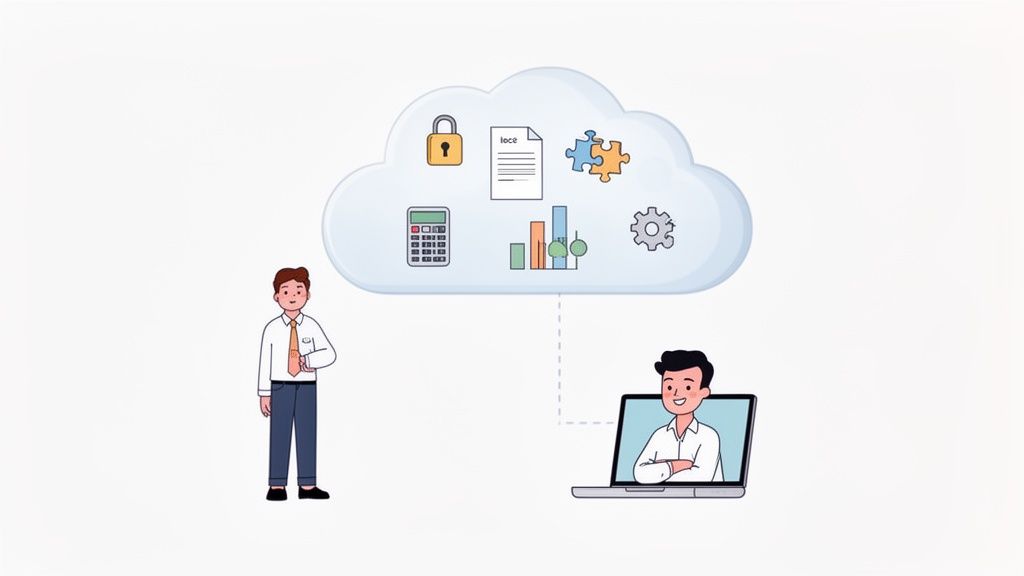
Let's just settle this. If you're running a business today, you need cloud-based accounting software. The debate is over. End of story.
Relying on old-school, on-premise software—the kind you install from a CD-ROM—is like insisting on using a fax machine. Sure, it worked fine once, but it chains you to a single desk. In a world where you need to check cash flow from an airport lounge, that's just not going to fly.
Some founders get nervous about the cloud. They think keeping financial data on a local PC is safer. Let me ask you this: is your office server room more secure than Amazon Web Services? Do you have a team running 24/7 backups in a fireproof facility?
Didn't think so. The idea that your data is safer on your own hardware is a dangerous illusion. A spilled coffee or a stolen laptop could wipe out your entire financial history. Cloud software isn't a convenience; it's a disaster recovery plan you could never afford to build yourself.
The market has already voted with its wallet. Cloud-based solutions captured over 68% of the total revenue share in the accounting software market in 2025. This isn't a trend; it's the new standard. You can learn more by checking out the latest research on the accounting software market.
The real magic of the cloud isn't just remote access. It's having one single source of truth.
No more emailing outdated, insecure spreadsheets back and forth. No more wondering if the numbers you're looking at are from last Tuesday or last quarter. With cloud software, you, your co-founder, and your remote bookkeeper can all look at the exact same up-to-the-minute data.
This unlocks a new level of collaboration. Instead of getting a historical report, your accountant can spot issues in real-time. They can log in, see a miscategorized expense, and fix it before it becomes a disaster.
Think of it this way: on-premise software gives you a snapshot of the past. Cloud software gives you a live video feed of your business's financial health. Which one would you rather use to make decisions?
One of the biggest anxieties founders have is giving an external bookkeeper access to their books. With old systems, it was all-or-nothing.
Cloud platforms solve this with role-based permissions. This is a game-changer. You can grant a remote bookkeeper access to only what they need—like reconciling bank feeds. You can give your CPA read-only access to pull reports for tax season.
This granular control means you can delegate with confidence. You're not handing over the keys to the kingdom; you're giving them a key to a specific room, and you can change the lock anytime. If you're bringing on remote help, it's worth reviewing a solid framework on how to onboard your new remote team members to make this process even smoother.
Choosing cloud software isn't about being trendy. It's about being practical. In the hunt for the best accounting software for small business, "cloud-based" isn't a feature—it's the starting line.
Let’s be honest: software pricing pages are designed to confuse you. You get a wall of "Basic," "Pro," and "Premium" tiers, and it's a shell game.
It usually means the one feature you desperately need is conveniently locked away in the plan just above the one you wanted to buy. It’s a classic bait-and-switch. They lure you in with a low sticker price, knowing you'll have to upgrade to make the tool actually do its job. Don't fall for it.
Let's look past the monthly fee and figure out what this software will truly cost you.
Most accounting software subscriptions boil down to a few models. Spotting them is the first step to not getting fleeced.
The $500 Hello. The sticker price is just the down payment. The real cost is a mix of the monthly fee, hidden add-ons, and the value of your time wasted on tasks the software could be doing.
To find the best accounting software for your small business, you need to think like a CFO, even if you’re also the janitor. The "true cost" isn't the number on the page.
Let’s say "Software A" is $30/month but lacks auto-reminders. You spend two hours a month chasing late payments. If your time is worth $50/hour, the true cost of that "cheap" software is $130/month ($30 fee + $100 in your own wasted time).
Suddenly, "Software B" at $60/month with full automation doesn't seem so expensive, does it?
Here’s what to add to the sticker price to find the real number:
Don't let a slick sales page trick you. Do the math. If a plan doesn’t save you more in time than it costs, it’s the wrong plan.
Alright, you did it. You survived the feature lists, dodged the pricing traps, and picked your new accounting software. Now for the really fun part: migrating everything over.
I can hear you groaning. The thought of a weekend exporting cryptic CSV files and praying the data maps correctly is enough to give any founder a cold sweat.
But it doesn't have to be a nightmare. A little planning goes a long way. This isn’t just moving data; it's your chance to start fresh with clean books.
First rule of migration: don't bring your junk with you. This is your one shot at a clean slate. You don’t need to migrate every transaction since you bought your domain name.
What's essential?
What can you leave behind? All that detailed transaction history from years past. Just keep your old system accessible in read-only mode for historical reference. Don't pollute your pristine new software with ancient history.
Here’s a pro tip that has saved my bacon more than once: run both systems in parallel for one month. Yes, it’s double the work for a short period, but it's the ultimate safety net.
For one month, treat the new software as primary, but keep entering data into the old one as a backup. At the end, run a P&L and Balance Sheet from both. Do the numbers match?
If they don’t, you’ve just caught a mapping error before it could cause a real disaster. Think of this as a low-stakes dress rehearsal to find all the gremlins in the machine.
Once the month is over and your reports align, you can set a firm cut-off date. That’s the day you officially turn off the old system. No looking back.
The final piece of the puzzle isn't data—it's people. Great software is useless if your team doesn't know how to use it. If you have employees using the system, schedule dedicated training. Don't just email a link and hope for the best.
Even more important is getting your accountant onboard. Give them admin access right away. If you’re looking for an expert to help, you can always explore options to outsource bookkeeping for startups and find pros who are already fluent in modern cloud platforms. Their experience is invaluable during a transition.
While many platforms have robust features, you can always explore different options. Sometimes, the top contenders for the best free accounting software for small business can help you avoid subscription costs, though you should still factor in the effort of migration.

As you can see, the sticker price is just the beginning. A true cost analysis involves digging into tiered features and checking for hidden add-ons that can inflate your bill.
Ultimately, a software migration is a project. Treat it like one. With a clear plan, you can make the switch without losing your data, your money, or your mind.
Here’s a secret no software company will ever put on their homepage: the tool is only half the solution. The other, more critical half, is the expertise to use it correctly.
You can buy the shiniest software on the market, but if your books are a mess going in, all you've done is pay a premium to generate fancier garbage reports. A tool is only as good as the person wielding it.
Let’s be brutally honest. Your time is your most valuable asset. Do you really want to spend your nights learning the finer points of bank reconciliation?
Hope you enjoy deciphering tax codes, because that’s your new part-time job.
This is the trap so many of us fall into. We invest in a powerful tool, thinking it will solve our problems, only to realize we've just created a new, complex set of tasks for ourselves. The real win isn’t just automating data entry; it’s automating the management of that data.
This brings us to the smartest move for scaling a business: pairing your new cloud software with a pre-vetted remote accountant.
Think about it. You get all the benefits of a full-time finance pro—accurate books, timely reports, strategic insights—without the crushing overhead of a full-time salary. It’s significantly cheaper than a traditional hire and infinitely smarter than trying to become a finance expert overnight.
Your job is to analyze the financial insights your software provides, not to create them. A skilled accountant manages the tool; you manage the business based on the clarity it delivers.
This isn’t just a plug for what we do here at HireAccountants (toot, toot!). The principle is universal. A great driver in a basic car will beat a novice in a Formula 1 race every time. The same holds true for your finances.
An expert can take a good tool and make it sing. They’ll set it up correctly, ensure your data is clean, and deliver reports you can actually use. They turn your software subscription from a monthly expense into a profit-driving investment.
So, when you're choosing the best accounting software for your small business, remember you’re only buying one half of the solution. The other, more important half, is finding the right person to run it for you. That's how you get your time back.
Alright, you’ve made it this far. You’re deep in the trenches, comparing features and trying to pick the right tool. Let's tackle the questions I hear most often from other founders.
You can, but you really, really shouldn't. It’s the business equivalent of using a butter knife to assemble IKEA furniture. While it feels "free," the hidden cost is your time and the terrifyingly high risk of manual errors. I’ve seen one broken formula throw off an entire quarter’s cash flow forecast.
Modern software automates these tasks, connects directly to your bank, and gives you reliable reports with one click. It's an investment in your own sanity. The hours you save by not wrestling with spreadsheets is time you can spend actually growing your business.
There’s a pretty wide range, but most solid cloud accounting platforms for small businesses will land you somewhere between $30 to $80 per month. This gets you a feature set that handles the essentials without making you want to tear your hair out.
Be skeptical of "free" or dirt-cheap plans. They often have crippling limitations (like only five invoices per month) or sneaky transaction fees that cost more in the long run.
The key is to evaluate the 'true cost.' If paying $20 more per month saves you five hours of manual work, it's not an expense; it's a bargain. Focus on the value and time savings, not just the sticker price.
It's how well it fits YOUR workflow. If the software is clunky and you hate logging in, you won’t use it consistently. And when that happens, the data becomes stale and useless, fast.
Look for a clean interface, intuitive navigation, and smart automation. The best accounting software for your small business is the one you’ll actually use every day to make informed decisions. A close second is its ability to seamlessly connect with the other tools you already rely on. Don't settle for a tool that creates more friction than it removes.
A great tool is a strong start, but pairing it with expert talent is how you win. HireAccountants connects you with pre-vetted, English-fluent accountants for as little as $10/hour, so you can get your books managed by a pro without breaking the bank. Find your perfect match in as little as 24 hours and get back to building your business. Hire a pre-vetted accountant today.
Let's simplify your finances today!