


The right spreadsheet beats a fancy finance system. That's the advice many small congregations need, even if it's less exciting than shopping for software with twelve dashboards and a login nobody remembers. A usable small church budget template can give pastors, treasurers, and board members a shared view of income, expenses, ministry priorities, and budget-versus-actual performance without turning Sunday administration into a second career.
The catch is that not every attractive template survives contact with a real finance committee. Some are too generic. Some are locked in PDF form. Others have charts that look impressive but don't answer the questions your board asks. The best option depends on your church's size, governance style, preferred format, and whether your team works comfortably in Excel or Google Sheets.
This list ranks resources by the problem they solve, including speed, simplicity, Google Sheets access, ministry-level ownership, and line-item completeness. If you're also comparing broader church systems, use this guide alongside comparing ChMS options with HolyJot. Don't choose the template with the most tabs. Choose the one your team will still update next month.
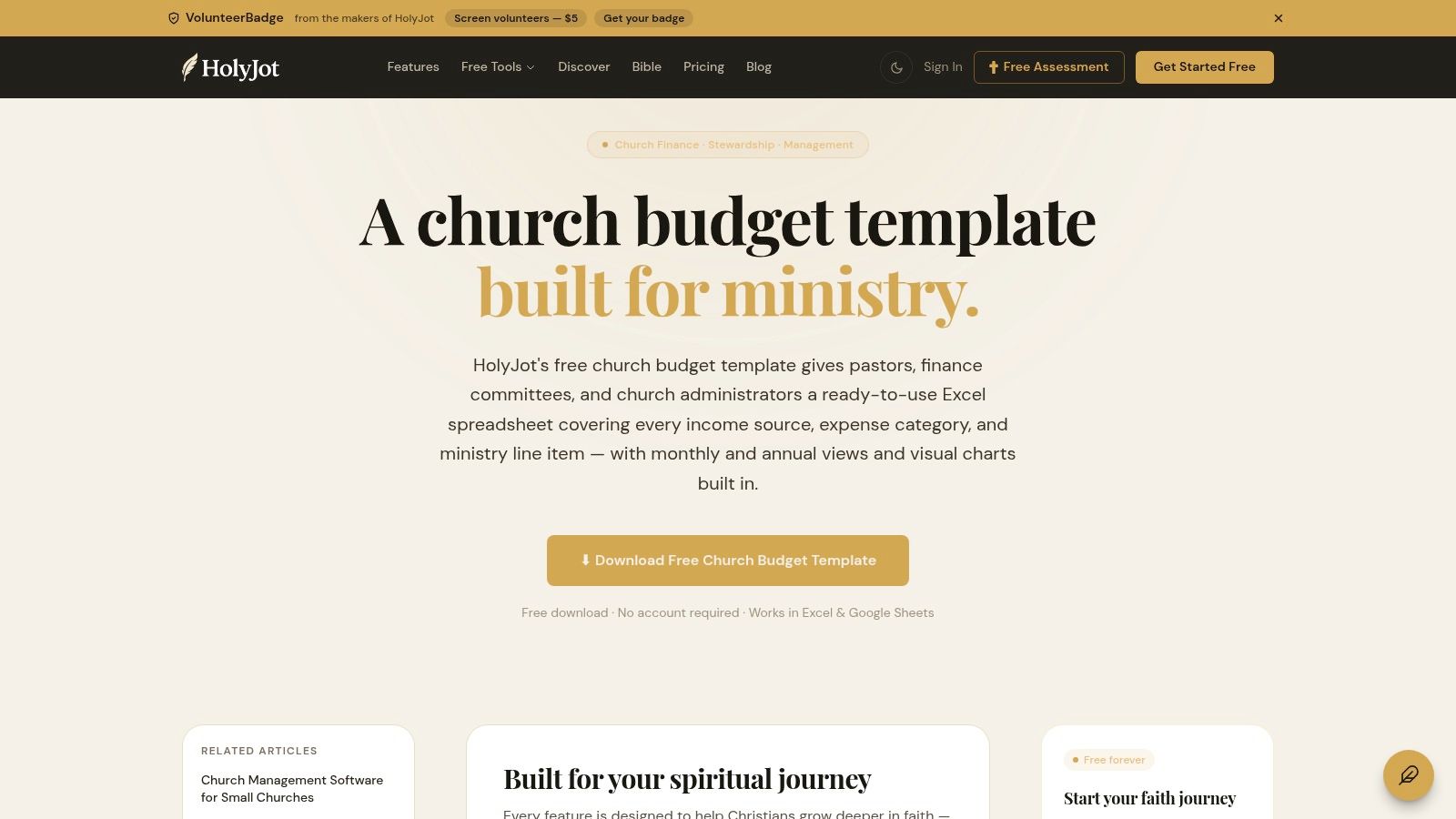
HolyJot takes the top spot because it starts with the church's actual budgeting language instead of asking you to translate a generic nonprofit worksheet. The downloadable Excel template includes preloaded church income and expense categories, monthly and annual budget views, rollups, charts, and variance views. That combination makes it the strongest overall choice for a pastor or finance team that wants structure without buying a finance platform.
The Excel-first design is both its strength and its limitation. You can download it without creating an account or handing over an email address, then begin adapting the workbook immediately. If your team prefers Google Sheets, you can convert the file after downloading it, but that extra step matters when several volunteers need access quickly.
Practical rule: A chart is useful only when someone can explain the variance behind it.
Before editing rows, align the categories with your church's chart of accounts. A clear chart of accounts explanation will help your treasurer avoid duplicate categories such as “office,” “administration,” and “supplies” that scatter the same spending across the workbook.
HolyJot doesn't import actual transactions automatically, so someone still needs to maintain actuals manually. That's acceptable for a small church, provided one person owns the process. For help turning the workbook into a dependable monthly routine, explore nonprofit postcard services only if outreach administration is also competing for your team's time. HolyJot remains my recommendation when you want the best balance of church relevance, reporting, and setup speed.
MosesTab wins on simplicity and format flexibility. It offers a clean church budget template in both Excel and Google Sheets, so a small finance team can pick the environment it already knows instead of converting files or arguing about software. That sounds modest, but format friction is one of the fastest ways to make a volunteer-owned process disappear.
The template includes a church-focused chart of accounts and budget-versus-actual columns. MosesTab also places companion finance tools, such as a giving statement and expense report, alongside the budget template. That makes it easier to keep basic documents consistent across the church rather than collecting unrelated forms from different websites.
MosesTab is deliberately lean. You won't get a large dashboard or advanced reporting system out of the box, and that's exactly why it works for churches that need a manageable starting point. A treasurer can adapt the rows, share the file, and explain the workflow without scheduling a training retreat.
The trade-off is guidance. The file doesn't do much hand-holding, so your team must decide how to name categories, record actual spending, and handle designated funds. That isn't a flaw if your board already has clear financial policies. It is a problem if everyone uses a different definition of “ministry expense.”
A simple workbook with clear ownership beats a sophisticated workbook with no owner.
Use MosesTab when Google Sheets access is essential, the budget is maintained by a small group, and you want a completely free, no-signup download. Keep the customization disciplined:
MosesTab won't impress anyone with visual polish. It will, however, get out of the way and let your team budget. That's often the more valuable feature.
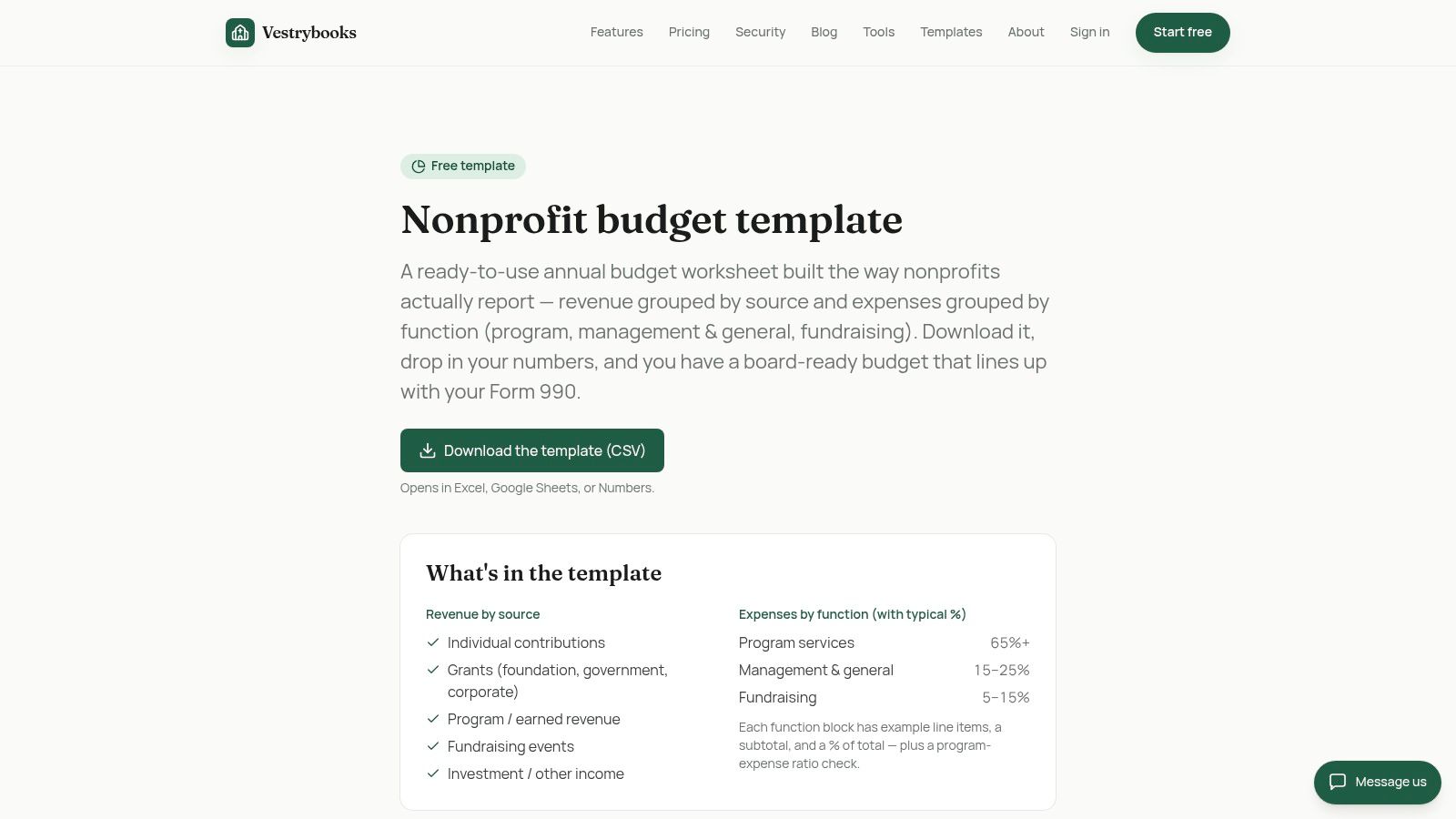
VestryBooks is the best pick for a first-time budget planner who needs more context than a blank spreadsheet provides. Its downloadable CSV and worksheet formats work with Excel and Google Sheets, while the accompanying guidance explains functional expense allocation. A church budget calculator adds a useful sanity check before your committee starts treating hopeful guesses as revenue forecasts.
That nonprofit context is valuable because many small churches blur program, administration, and operating costs. VestryBooks pushes you toward clearer functional thinking. You can distinguish spending that supports ministry from costs that keep the building, office, and organization running, then discuss whether those allocations reflect the church's priorities.
A calculator won't tell your church what it should value. It can, however, expose a budget that makes no operational sense. If the worksheet allocates heavily to one category while leaving obvious obligations unaddressed, the calculator gives the committee a prompt to investigate rather than blindly approving the file.
The template is more generic than HolyJot or MosesTab, so expect to rename categories and adapt terminology. Advanced functionality belongs to the paid VestryBooks app, which means this resource works best as a planning and education tool, not as a complete accounting environment.
Small-church guidance commonly recommends building the budget from expected giving, fixed expenses, variable expenses, and a reserve fund sized to cover two to three months of operating costs. That approach is outlined in outsourced accounting for nonprofits resources and aligns with the practical design of a workbook that separates income, operating costs, and contingency planning.
Use VestryBooks when your finance committee needs to learn how the pieces fit together, not merely download a finished file. It's especially helpful when the person preparing the budget is capable but inexperienced. The extra explanation can prevent a beautifully formatted worksheet from hiding weak assumptions.
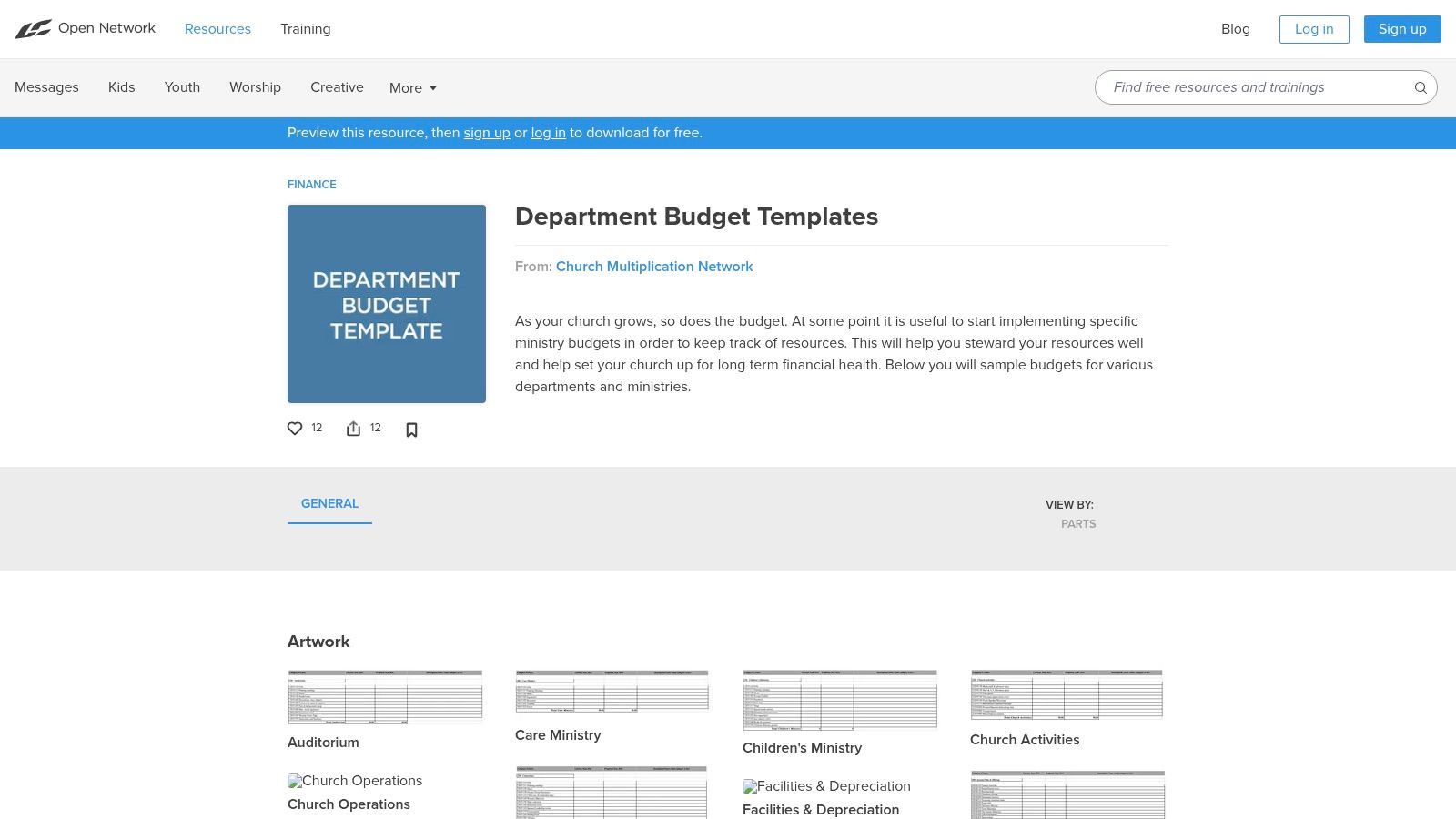
Life.Church Open Network solves a different problem. It isn't a single master church budget. It's a collection of ministry and department budget templates that can help worship, student, children's, and other ministry leaders take responsibility for their own requests.
That makes this resource the strongest choice for ministry-level ownership. Instead of asking one treasurer to invent every program estimate, you can ask team leads to describe their planned activities, required materials, and expected costs. The finance team then assembles those department budgets into the church-wide plan.
The trade-off is obvious. You must combine the department worksheets yourself. The format and level of detail can vary from one ministry to another, so the master budget needs a consistent naming system and approval process. Without those controls, every team can submit a different version of “supplies,” and the treasurer gets to play spreadsheet detective.
A fractional finance leader can help standardize that process. The fractional CFO services for nonprofits guidance is relevant when a church needs stronger oversight but doesn't need a full-time finance executive.
Use Life.Church templates when your church wants budget ownership distributed beyond the finance committee. Give each ministry a copy, define what belongs in each category, and set a firm submission process. Don't hand team leads a blank canvas and hope for accounting consistency. That's how “youth events” becomes “miscellaneous fun stuff” and nobody knows what got approved.
The templates are particularly useful for growing churches with several active ministries. They're less convenient for a tiny congregation that needs one sheet and one conversation. In that case, start simpler.
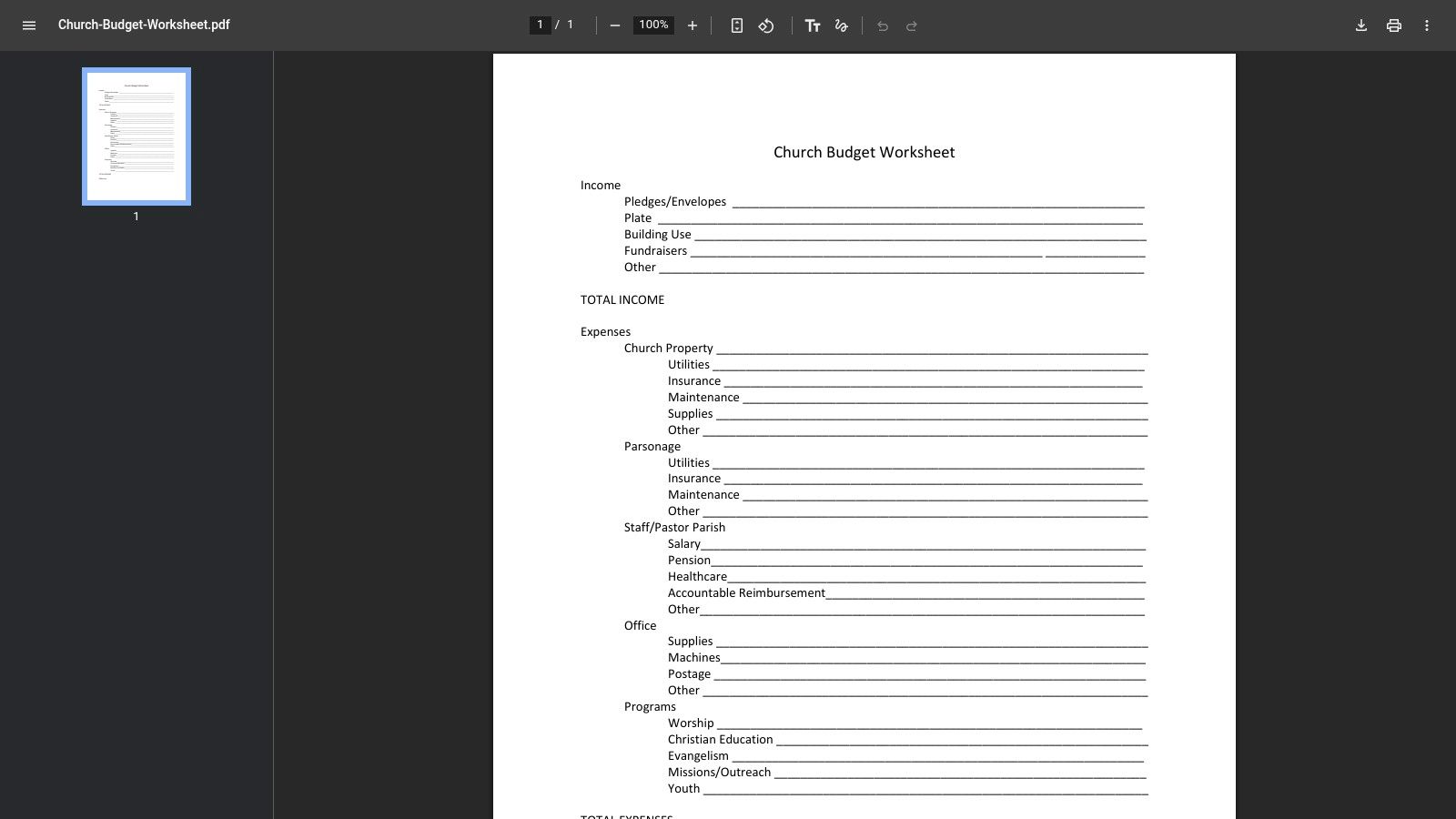
The GNJ worksheet is the right tool when the immediate problem is getting people to talk about the budget. It's a straightforward, one-page PDF with familiar income categories such as pledges, plate giving, and building use, along with expense sections for property, utilities, insurance, and related obligations.
There's no formula engine to distract the committee. Print it, put it on the table, and start asking practical questions. What income can the church reasonably expect? Which costs are fixed? Which ministries need a decision before money gets assigned?
This worksheet serves very small churches and committees that aren't ready for a workbook with multiple tabs. It gives everyone the same page and a visible place to write assumptions. That can be more productive than opening a complex file and watching three people search for the right cell.
The downside is just as clear. Because it's a PDF, it isn't formula-driven and won't provide automated totals, analytics, or budget-versus-actual tracking. You'll need to recreate the approved plan in Excel or Google Sheets if you want ongoing monthly reporting.
Use GNJ as a conversation starter, not your permanent control system. After the meeting, transfer the agreed categories into a spreadsheet, assign an owner, and establish a regular review rhythm. The worksheet is intentionally low-tech. Don't punish it for refusing to pretend it's accounting software.
For a church with limited administrative capacity, this is a smart first step. You're not trying to build the perfect model. You're trying to get the board discussing real income and real obligations before anyone approves spending based on last year's habits.
Heartland Church Network is the on-ramp for church plants and congregations that are new to formal budgeting. The worksheet keeps the structure basic, separating income from expenses without burying first-time users in accounting terminology. Editable source formats in Word or Excel are available by request, while the PDF serves as the default starting point.
That simplicity makes Heartland more approachable than a detailed workbook. A new church leader can see the financial picture quickly, then identify the categories missing from the basic file. The network also provides companion financial report templates and additional administrative and discipleship resources on its resource page.
The worksheet is intentionally sparse. Most established churches will need to add categories for personnel, facilities, ministry programs, administration, missions, and reserves. If you use the PDF as-is, the “other” category can become a junk drawer with a church logo.
Ask the network for the editable version before your team starts typing into a converted PDF. An editable file gives you room to add the categories that match your actual operations and to build formulas without re-entering the entire plan.
Use a simple template to establish habits, then add detail only when the church can maintain it.
Heartland is a good fit when the finance process is still forming. It isn't the best choice for a board that expects polished dashboards or detailed variance analysis immediately. That's not what it's built to do.
Start with a short budget meeting, identify the church's recurring income and expense groups, and make one person responsible for maintaining the working file. If the process grows, migrate the structure into a stronger spreadsheet. Don't mistake a beginner template for a forever template, but don't underestimate the value of getting started.

The United Methodist Frontier Foundation pairs an Excel budget template with budgeting basics, stewardship guidance, audit information, and compliance-minded resources. That combination makes it more useful than a standalone file for a congregation that wants the budget to support governance, not merely produce an annual total.
The template is suited to small United Methodist churches, but other congregations can adapt it. You'll need to edit Methodist terminology where it doesn't match your denomination, polity, or internal committee structure. That's a small price for getting the surrounding stewardship and audit material in the same resource hub.
Many templates focus on rows and formulas. UMFF adds the governance layer that helps a board understand why approvals, documentation, and review matter. Stewardship guidance commonly recommends comparing budgeted amounts with actual financial performance and adapting the workbook to the church's own circumstances, as explained in financial planning and budgeting guidance for churches.
That makes UMFF a strong choice for a church that has experienced inconsistent reporting or unclear financial responsibilities. It's also helpful when a new treasurer inherits a file that has evolved through years of informal edits. A template can't fix governance by itself, but a resource hub can give the board better language for setting expectations.
The access path takes more navigation than a direct download, and some users may find the surrounding material less immediate than a simple template page. Still, this is the resource I'd choose when accountability and stewardship guidance matter as much as spreadsheet convenience. A budget should tell leaders what they can fund, but it should also show how they'll monitor those decisions.
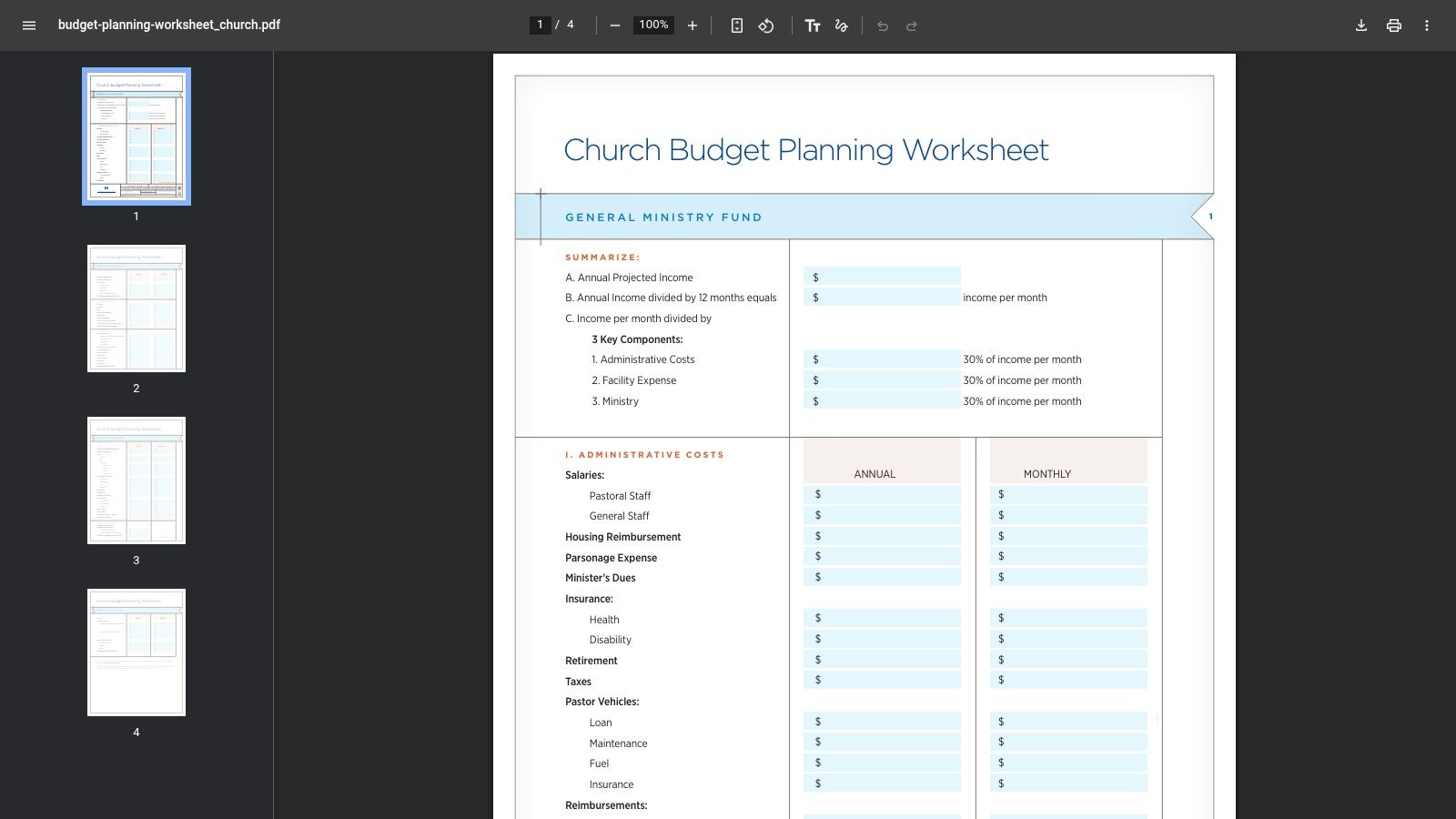
Church Extension Plan earns its place for line-item completeness. The multi-page PDF covers general ministry, facilities, utilities, ministries, vehicles, special events, administration, and other operating areas that small churches often forget when they budget from memory.
That breadth is its advantage. A committee can work through the prompts and identify costs that otherwise arrive as “surprises,” even though they happen every year. Annual and monthly columns appear side by side, which helps connect the full-year plan to the timing of cash needs.
CEP is a PDF, so you'll need to recreate it in Excel or Google Sheets if you want formulas, automated totals, and recurring budget-versus-actual reviews. The worksheet can also feel heavy for a very small church with few programs and a short list of obligations. Nobody needs a twelve-category approval chain for buying paper.
Use CEP as the source document for your line-item architecture. Copy the relevant categories, combine duplicates, and remove sections that don't apply. Keep the original prompts nearby during the first budget cycle so you don't accidentally strip out useful reminders while simplifying the file.
Church-budget guidance commonly recommends budgeting by functional categories rather than hiding costs inside one giant miscellaneous line. Stewardship's financial operating policy guidance supports that practical approach by separating functions such as staff, ministry, and grants.
CEP is my recommendation for boards that routinely underbudget facilities, vehicles, events, or administrative obligations. It's not the fastest template to deploy, but it's the best defensive tool on this list when forgotten line items are the recurring problem.
Grain Ledger is the best choice for teams that want a file plus onboarding guidance. The Excel template comes with setup notes covering the fiscal year and chart of accounts, along with additional church budgeting resources. That matters because many free templates fail in the first hour, when users aren't sure which rows to change, which formulas to protect, or how to organize the budget around actual church operations.
The accompanying guidance also frames the workbook around common church categories and budget structure. A small-church budget commonly needs distinct sections for income, personnel, facilities, ministry, administration, and contingency planning, rather than one long list of expenses. That structure is reflected in the small-church budget generator resource, which is useful when you want to build a starting workbook around your congregation's situation.
Grain Ledger's strength is its walkthrough. A first-time treasurer can follow a clearer path from downloading the file to configuring the fiscal year and categories. The weakness is the Excel focus. Churches committed to collaborative Google Sheets work will need to convert the workbook or choose MosesTab instead.
The blog also includes promotional links for the Grain Ledger app. That doesn't make the template unusable, but it means you should distinguish between the free spreadsheet and the broader product ecosystem before deciding what your church needs.
Use Grain Ledger when the team's main obstacle is not spreadsheet access but spreadsheet confidence. It's a good teaching tool for a treasurer who wants more than a bare file. If your church already knows how to build and maintain a workbook, HolyJot may offer a cleaner operational experience. If your team needs instructions, Grain Ledger is the more helpful handrail.
Receipts AI is built for speed. Its downloadable church budget template follows an estimate-versus-actuals pattern, includes common income lines such as tithes and offerings, and supports export to Excel or PDF. That makes it practical when the church needs a budget for approval, a quick event plan, or a document to circulate among committee members.
The export options are the main attraction. You can create a working version, adjust it for an annual plan or specific event, and distribute a PDF when people need to review or approve the numbers without editing the underlying file.
Receipts AI's website experience is busier than a simple download page, and documentation beyond the template is limited. You'll need to make your own decisions about category definitions, designated funds, payroll timing, and monthly review procedures.
That isn't necessarily a dealbreaker. Some churches need a quick, flexible worksheet rather than a finance education course. But speed can create false confidence if the team exports a polished PDF before agreeing on the assumptions underneath it.
Use Receipts AI for fast drafts and event-specific budgets. For a full church operating budget, I'd favor HolyJot, MosesTab, or CEP depending on your reporting and detail needs. Receipts AI is the useful spare tire, not the vehicle I'd choose for every trip.
A disciplined customization pass will make it stronger:
| Template | Format & Compatibility | Core features | Best for (Target audience) | Unique selling point | Main limitation / Cost |
|---|---|---|---|---|---|
| HolyJot – Free Church Budget Template | Excel (convertible to Google Sheets) | Church income/expense categories, monthly & annual tabs, charts | Pastors & finance teams wanting ready visuals | Purpose-built church categories + built-in charts | Excel-first; no automation, Free |
| MosesTab – Church Budget Template | Excel & Google Sheets | Chart of accounts, budget vs. actual, companion forms | Small teams wanting lightweight, editable files | Truly free, clean minimal design, Google Sheets-ready | Minimal guidance, no dashboards, Free |
| VestryBooks – Nonprofit/Church Template + Calculator | CSV/Excel/Sheets | Template + guidance, budget calculator, functional expense advice | First-time budget planners and nonprofits | Calculator to suggest category splits; nonprofit context | More generic; advanced features paid, Free |
| Life.Church Open Network – Department Templates | Excel-style department worksheets | Multiple ministry/department budgets, scalable sheets | Churches wanting ministry-level detail (worship, kids, etc.) | Real-world ministry breakdowns for copying/adapting | Not consolidated; must assemble into master budget, Free |
| GNJ – Church Budget Worksheet (PDF) | PDF (printable) | One-page income & expense worksheet | Very small churches or committees in meetings | Ultra-simple, print-friendly for quick planning | Not formula-driven; lacks analytics, Free |
| Heartland Church Network – Very Simple Worksheet | PDF (editable on request) | Basic income/expense layout, companion reports via network | Church plants and first-time budgeters | Super-simple on-ramp; editable formats available by request | Minimal detail; PDF default unless requested, Free |
| UMFF – Church Budgeting (Excel Template) | Excel via resource hub | Budget template + stewardship & audit guidance | United Methodist and compliance-minded congregations | Combines template with stewardship/compliance resources | Requires navigation to access; Methodist terms used, Free |
| CEP – Church Budget Planning Worksheet | PDF (multi-page) | Extensive category coverage; monthly & annual columns | Boards/committees needing detailed line-item budgets | Thorough prompts reduce overlooked costs | PDF-only; manual recreation for formulas; heavy for small churches, Free |
| Grain Ledger – Free Church Budget Template | Excel (blog + download) | Excel template + step-by-step setup guidance | Teams wanting onboarding help for first-time users | Strong walkthrough and setup advice | Excel-focused; article includes promotional links, Free |
| Receipts AI – Customizable Church Budget Template | Excel / PDF export | Estimate vs. actuals, pre-filled church lines, quick exports | Rapid annual or event-specific budgets | Fast to spin up and distribute as PDF/Excel | Busy website UX; limited documentation, Free |
The right choice depends on the bottleneck sitting in front of your finance team.
If you need a simple first conversation, choose the GNJ worksheet or Heartland worksheet. Both lower the barrier to participation, which matters when the committee is more comfortable with paper than formulas. Use the PDF to gather assumptions, then move the approved structure into a spreadsheet before the budget year gets moving.
If you want a lightweight Excel or Google Sheets workflow, choose MosesTab. It's clean, free, available in both formats, and easy for a small team to adapt. You'll need to supply your own guidance and reporting discipline, but that's a fair trade for a file that doesn't arrive with unnecessary machinery.
If you want church-specific rollups and charts, choose HolyJot. It's the strongest overall template for pastors and finance teams that want monthly and annual views, built-in visuals, and church-focused categories without signing up for another system. Convert it for Google Sheets only if your team needs shared browser access. Don't convert it just because Google Sheets is fashionable.
If ministry ownership is the central issue, choose Life.Church Open Network. Give worship, students, kids, and other ministry leads their own planning worksheets, then assemble the results into a controlled master budget. Ownership improves when the people requesting funds help define the plan, but somebody still needs to standardize categories and approve the final version.
If forgotten costs are the problem, choose CEP. Its detailed prompts cover facilities, utilities, vehicles, special events, general ministry, and administration. Rebuild only the sections your church needs. A detailed source file is useful; a spreadsheet monster that nobody maintains is not.
Start with a realistic fiscal-year structure and decide whether the workbook needs monthly columns, annual totals, or both. Rename categories to match your church's language, but don't create a new line for every purchase. Keep recurring obligations visible and use notes for unusual items.
Separate restricted or designated funds where that fits your governance needs and donor requirements. Don't force every church into the same fund structure, but don't let designated giving disappear inside the general fund either. The workbook should make it clear which money is available for broad operations and which money carries a specific purpose.
Use practical category guardrails as a conversation tool, not a commandment. One widely used framework places staffing at 40–60%, missions and benevolence at 10–25%, facilities and operations at 20–30%, administration and technology at 5–10%, and debt repayment or reserves at 5–10%, according to Sage's church budgeting guidance. Those ranges can reveal an imbalanced draft, but your church still has to decide what its mission and obligations require.
Small-church guidance also commonly places tithes and offerings at about 70–80% of income, with reserves covering two to three months of operating expenses, as summarized in this small-church nonprofit budget guide. Treat those figures as planning benchmarks, not promises about what your congregation will give.
Review budget versus actuals regularly. Stewardship guidance frames the budget as a living control system that should be compared with real financial performance and adapted to the organization's circumstances. If nobody owns the review, the spreadsheet is just a very organized time capsule.
Don't add complexity nobody understands. If the workbook becomes a second job, get specialized finance help rather than mortgaging the office ping-pong table.
HireAccountants helps churches and other organizations find pre-vetted bookkeeping and accounting professionals for flexible support, including part-time finance help when a volunteer treasurer needs backup. Visit HireAccountants to find finance talent who can maintain your church budget, review actuals, and bring order to the spreadsheet before it becomes everyone's least favorite ministry.
Let's simplify your finances today!