


The most popular advice on how to monitor work from home employees is also the worst. Buy software that takes screenshots, track keystrokes, watch the little status dot, and you'll know who's working. No, you won't. You'll know who learned to jiggle a mouse.
I've rolled out remote finance teams. I've also watched good accountants quit because a boss treated a quiet afternoon like a crime scene. The fix isn't more surveillance. It's fewer, sharper measures tied to work the business needs, a policy you can read aloud without blushing, and a review rhythm that leaves people room to think.
If you can't explain what good looks like in numbers an employee can see and influence, software won't save you. It'll just document the confusion at scale, which is a fancy way to mortgage trust without even getting a ping-pong table out of it.
A finance scorecard should show whether work is accurate, timely, and controlled. It should not reward a person for keeping a mouse moving. Start with a short list of outcomes the team and business can verify.
Starter scorecard for a remote accounting team
| Metric | What It Shows | Example Target | Data Source | Review Cadence |
|---|---|---|---|---|
| Month-end close finished by deadline | Close-cycle timeliness | Business day 5 or earlier | Close checklist in the accounting platform | Monthly |
| Reconciliation exception rate | Accuracy of matched accounts | Under 2% of items flagged | Reconciliation tool log | Weekly |
| Forecast variance | Accuracy of cash and revenue forecasts | Within 5% of actuals | Forecast file compared with GL actuals | Monthly |
| Request response time | Reliability for internal stakeholders | Same business day for routine requests | Ticket queue or shared inbox timestamps | Weekly |
| Client deliverables on schedule | Reliability for clients | 95% on time each month | Project-management board | Monthly |
| Postings with complete audit trail | Control compliance | Zero postings without a logged approver | ERP audit log | Monthly |
These targets are examples, not universal standards. Compare them with your team's baseline and adjust for its workload, systems, and client mix. Use records already produced by your accounting and workflow systems. Each metric should answer a practical question a CFO, client, or auditor could ask, and someone should be able to explain where its number comes from.
An accountant can spend hours investigating a stubborn variance, show little computer activity, and find an error that would have delayed the close. Another employee can generate constant keyboard activity and still produce inaccurate journal entries. Keyboard activity, login duration, and screenshots are poor substitutes for performance, since monitoring technologies often measure time on tasks without capturing actual performance.
Remote workers often report that they are productive. That is a reason to assess their completed work, not their visibility on a screen. Self-reported productivity does not prove the quality of anyone's work; documented outputs do. Presence is a signal of access, not an accounting result.
If the books are clean, the close landed, and exceptions are documented, the employee worked. The webcam adds nothing to that sentence.
For finance teams, pair outcome measures with control metrics. Track approval segregation, audit-trail completeness, access anomalies, and error-correction rates. These measures connect monitoring to risks that matter, including safeguarding client money and identifying control failures. Collect only the records needed to assess those risks, tell employees what is being reviewed, and account for the trust cost of collecting more. A metric can protect the business while still damaging confidence if staff do not know why it exists or how it will be used.
Build the scorecard from real work, then set targets using actual team performance. Follow these steps:
Before assigning targets, make sure everyone understands what a KPI means in business practice. A metric people cannot explain will not guide better work. It will create confusion and disputes about what counts.
Watch for incentives that distort results. Rewarding activity volume encourages noise instead of accurate work. Penalizing flexible schedules penalizes accountants who do focused work at different hours and deliver on time. Ignoring task complexity can make a difficult inherited ledger look like an individual performance problem. Comparing people with different workloads or time zones turns a scorecard into a grievance rather than a useful management tool.
Use manager judgment and employee context before taking corrective action. A missed target should prompt a review of workload, blockers, and data quality. Treat it as a reason to understand the result, not as grounds for automatic discipline.
Before publishing the scorecard, test every metric: can you explain it to an employee in one sentence, including its data source and what they can do to improve it? If the answer is no, remove or clarify the measure. Keep the scorecard to outcomes employees can influence and managers can verify.
A monitoring policy earns trust when employees can see what it measures, why it matters, and who can review the records. In a finance team, tie each signal to a business decision, such as protecting client data or finding a month-end handoff that delays close. If a signal cannot change a decision, leave it out.
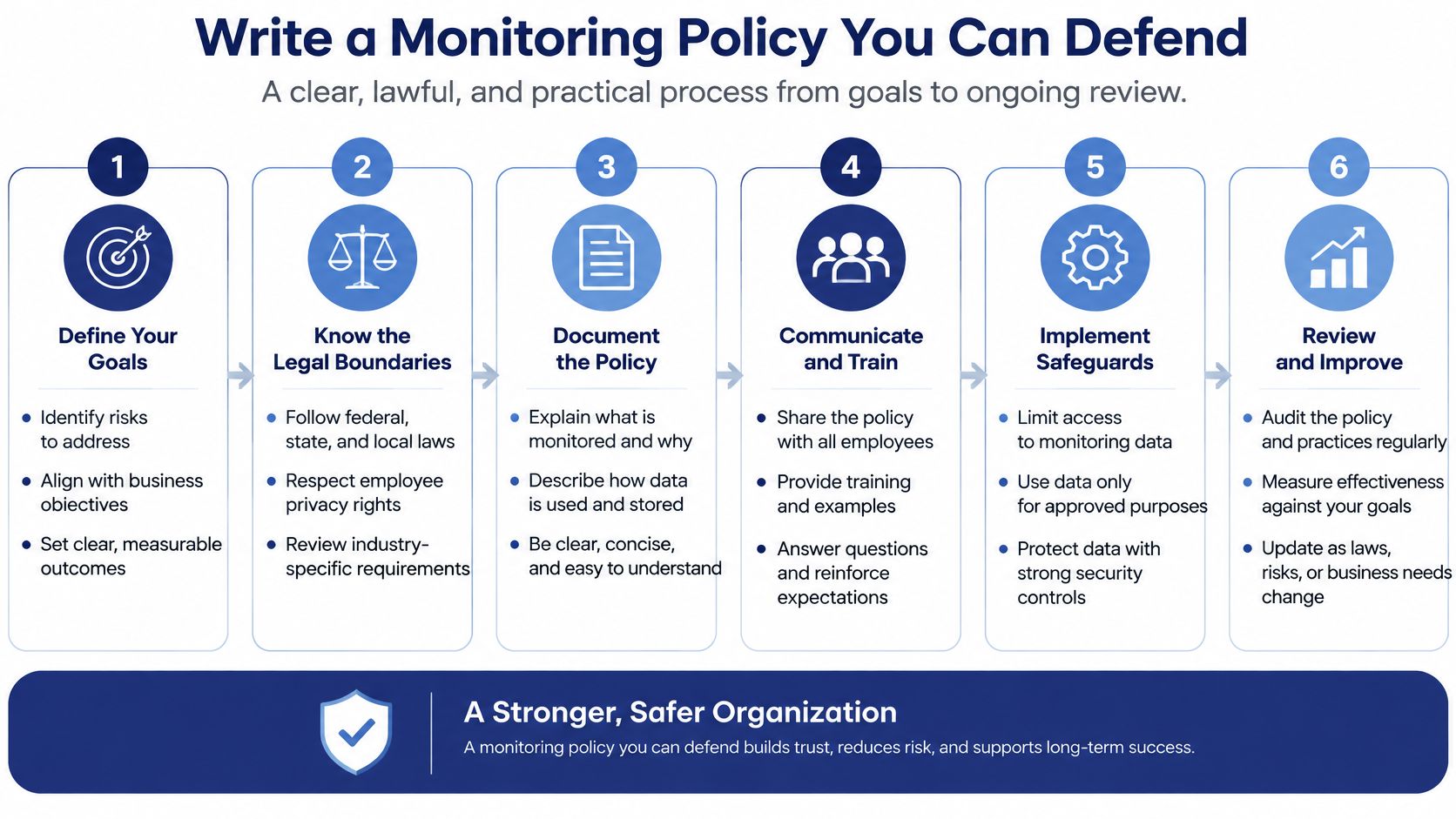
The purpose and the method both affect trust. Collecting work-system data to improve a process is different from watching personal accounts or treating online presence as proof of performance. Explain the business reason before collecting data, and keep the collection tied to that reason. Employees should know whether a measure tracks financial approvals, task completion, or response commitments, and how managers will use it.
Give new hires the policy in plain language on their first day, as part of a structured process to onboard remote employees. Keep it easy to find rather than burying it in later paperwork.
Consent and notice requirements vary by jurisdiction and monitoring method. Check the rules that apply to each employee's location before rollout, and get local counsel to review cross-border policies.
Monitoring notice and consent rules by jurisdiction
| Jurisdiction | What the Rule Requires | What to Do |
|---|---|---|
| Federal (Electronic Communications Privacy Act) | Real-time interception generally needs an exception, often one party's consent | Document consent in the handbook and collect a signed acknowledgment |
| Connecticut | Notice that electronic monitoring occurs | Give notice before monitoring starts |
| Delaware | Notice that electronic monitoring occurs | Give notice and keep a dated copy |
| New York | Notice that electronic monitoring occurs | Give notice and keep a dated copy |
| California | All parties must know when a call is recorded | Disclose before recording any call |
| Latin America and other countries | Local privacy and employment rules vary | Get local counsel review before rollout |
Under the federal Electronic Communications Privacy Act, real-time interception generally depends on an applicable exception, which may include consent from at least one party. Employers commonly document that consent through handbook language, an acceptable-use policy, or a standalone acknowledgment. Review the workplace monitoring law summary covering federal and state notice rules alongside the requirements for each relevant jurisdiction. This is general information, not legal advice.
Read the policy aloud at an all-hands and take questions. Publish what is collected, when it is collected, who can access it, and how long it is retained. Employees should understand how a record connects to a finance outcome, as well as how to challenge a mistake. Hidden monitoring creates legal exposure and erodes the trust that lets remote teams raise problems early.
Choose tools that show whether finance work is accurate, complete, and on time. Avoid tools that turn employee activity into a proxy for performance. Finance teams can usually find useful signals in their accounting platform, project board, and ticket queue. Connect those records to a scorecard before shopping for new software.
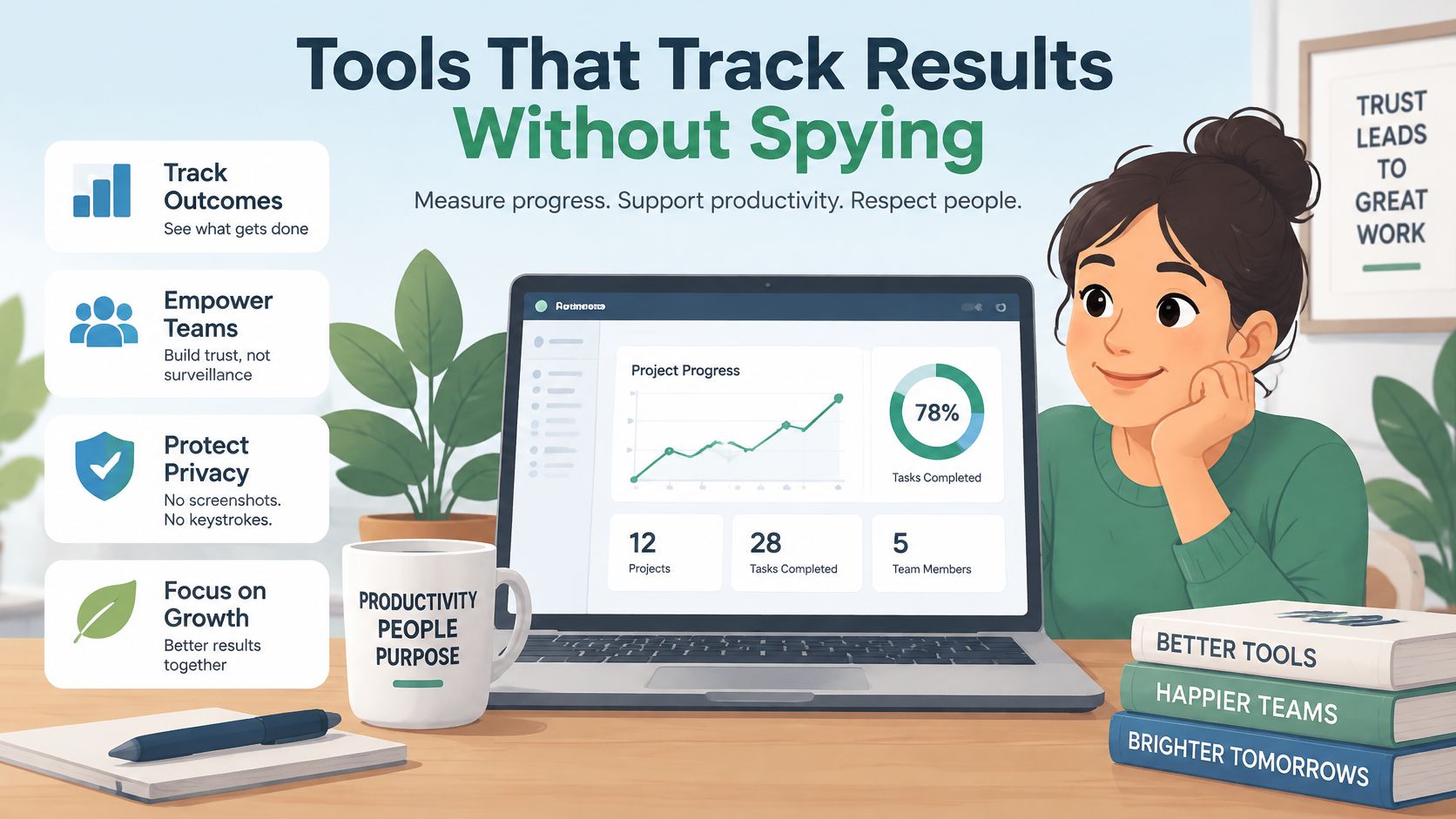
Monitoring tool types, where they help, where they backfire, and the verdict
| Tool Type | Useful For | Red Flag | Verdict |
|---|---|---|---|
| Project-management boards | Deliverable status and deadlines | Used to rank individual hours | Keep |
| Accounting platform audit logs | Approvals, postings and access trails | Logs pulled for every keystroke, not just financial events | Keep |
| Helpdesk queues with SLA timers | Response-time commitments | Timers that penalize time spent on complex tickets | Keep |
| Opt-in time tracking | Billable hours for client work | Counts idle time as a fault | Keep for billable hours only |
| Screenshot recorders | Almost nothing a deliverable scorecard cannot show | Captures client data and personal screens | Skip |
| Always-on webcam tools | Nothing measurable in finance work | Requires a live video feed for hours | Skip |
| Mobile monitoring apps | Nothing a work account cannot already show | No privacy policy or broad permissions | Skip |
Screenshot tools build a liability archive. They can capture client financial records, personal notifications, and other information unrelated to the work. You then have to secure, retain, and explain that material. A deliverable board can show whether a reconciliation was completed without collecting screen contents.
Mobile monitoring apps create a separate privacy risk. A review of 12 remote-employee monitoring mobile applications found all lacked privacy policies and all requested permissions that could potentially expose sensitive employee information. Do not ask employees to install monitoring software on personal phones without a clear, lawful reason and explicit safeguards. Access to telemetry does not make its collection proportionate or lawful.
Practical rule: If a tool's best feature is something you'd be embarrassed to demo to the employee, don't buy it.
Before rollout, review privacy and security risks tied to screenshots, location data, keystrokes, webcam access, personal-device permissions, and cross-border transfers. Prefer system-of-record data, such as project status, accounting-platform activity logs, quality reviews, and SLA reports. These records connect monitoring to finance outcomes while limiting unnecessary collection. Tell employees what the system records, who can access it, and how long the records are kept. The notice is part of the tool decision, not paperwork to tack on later.
Ask these questions before a product demo.
Protect any data you retain with role-based access, retention limits, and audit logs. Review whether the measures improve delivery, accuracy, or response commitments, and weigh those gains against the trust cost of collecting more employee data. A tool cannot fix a scorecard that rewards visible activity over completed, accurate finance work. Set the outcome measures first, then buy only what helps you track them. The least expensive option may already be in the software your team uses.
Monitoring without a rhythm is just data hoarding. You need a cadence employees can predict and managers can realistically sustain during close week, not just during calm weeks when everyone feels virtuous.
Start with written response-time service levels instead of a permanent demand for instant replies. Same-business-day replies for routine requests. A separate, clearly marked escalation route for urgent payroll, cash-flow, or close issues. Everything else can wait its turn.
That shift matches how remote teams really communicate. A natural experiment involving 61,182 Microsoft employees found broad remote work reduced synchronous communication and increased asynchronous communication, and Microsoft's 2023 Work Trend Index reported 68% of workers lacked enough uninterrupted focus time, with inefficient meetings identified as the leading productivity disruptor. If your monitoring answer is more meetings and faster pings, you're manufacturing the problem you're measuring.
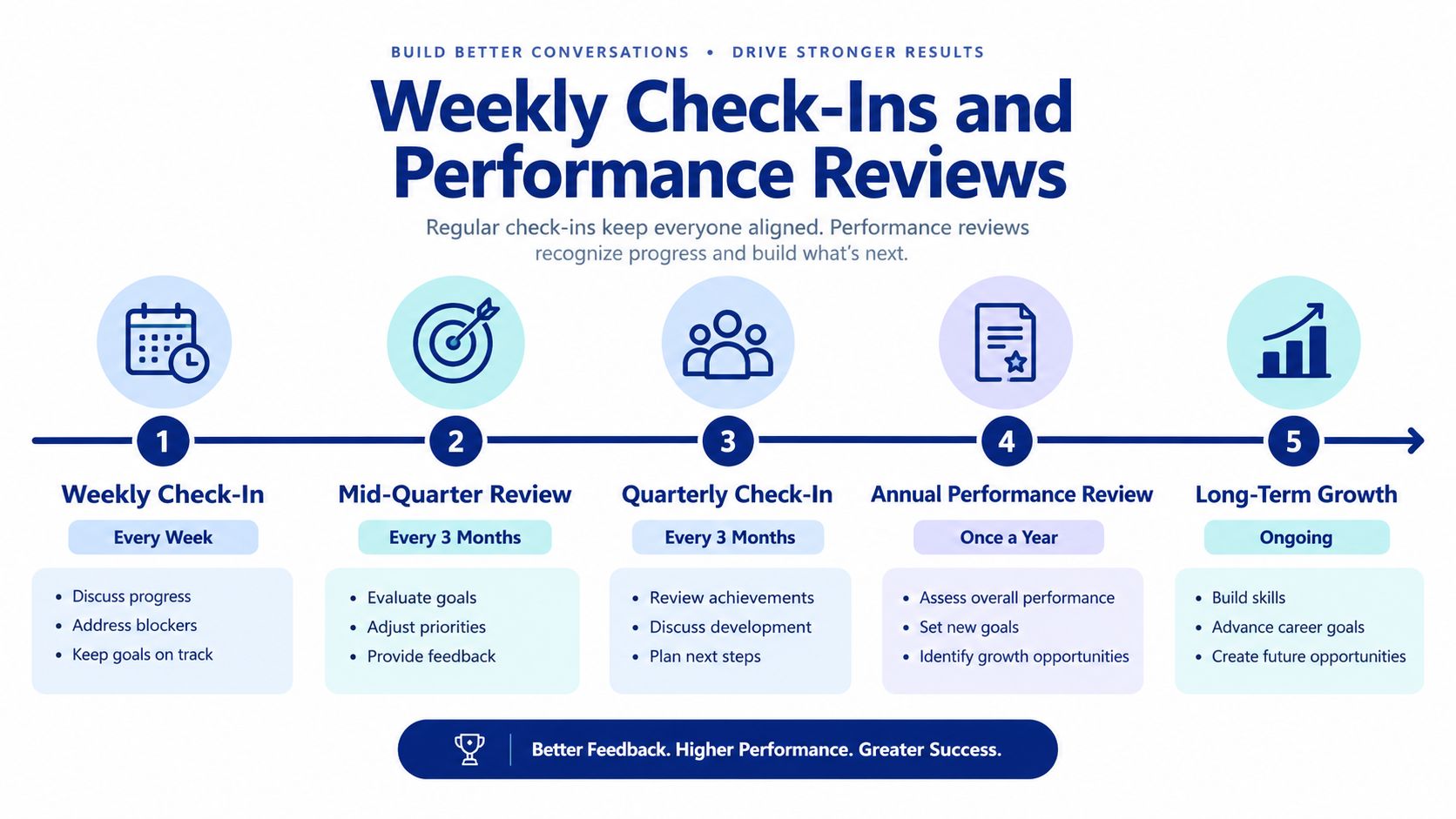
Notice what's missing. No daily activity interrogation. No reaction to isolated low-activity days. Sustained deviation plus human context is the trigger, and that's deliberate. Accounting work is lumpy. Close week is not mid-month, and pretending otherwise punishes people for the calendar.
A flagged metric starts a conversation. It never starts automatic discipline.
Judge work against documented priorities and deadlines, in the employee's agreed working hours and time zone. A same-business-day SLA means their business day, clearly defined in advance. Do that, and important work stays visible without mortgaging the team's focus time to an endless calendar.
Monitoring can make a finance team less effective when it rewards visibility over accurate work. Before installing tracking software, weigh the cost to trust against what it actually helps you manage.
In a 2024 survey of 1,000 remote and hybrid employees in the United States, 43% of all respondents said their employer monitored their online activity. That included 48% of hybrid employees and 37% of fully remote employees. About one in five respondents were unsure whether their employer monitored them. Employees should never have to guess what their company collects.
The survey also found that 31% of all respondents said employers watched computer screens in real time. Among respondents who experienced monitoring, 39% said it harmed their relationship with their employer, and 43% said it negatively affected company morale. Among all respondents, 68% said at least one aspect of their online activity would make them uncomfortable if monitored. For a finance team, that discomfort can carry a practical cost: employees may spend time managing appearances instead of resolving discrepancies or improving close quality.
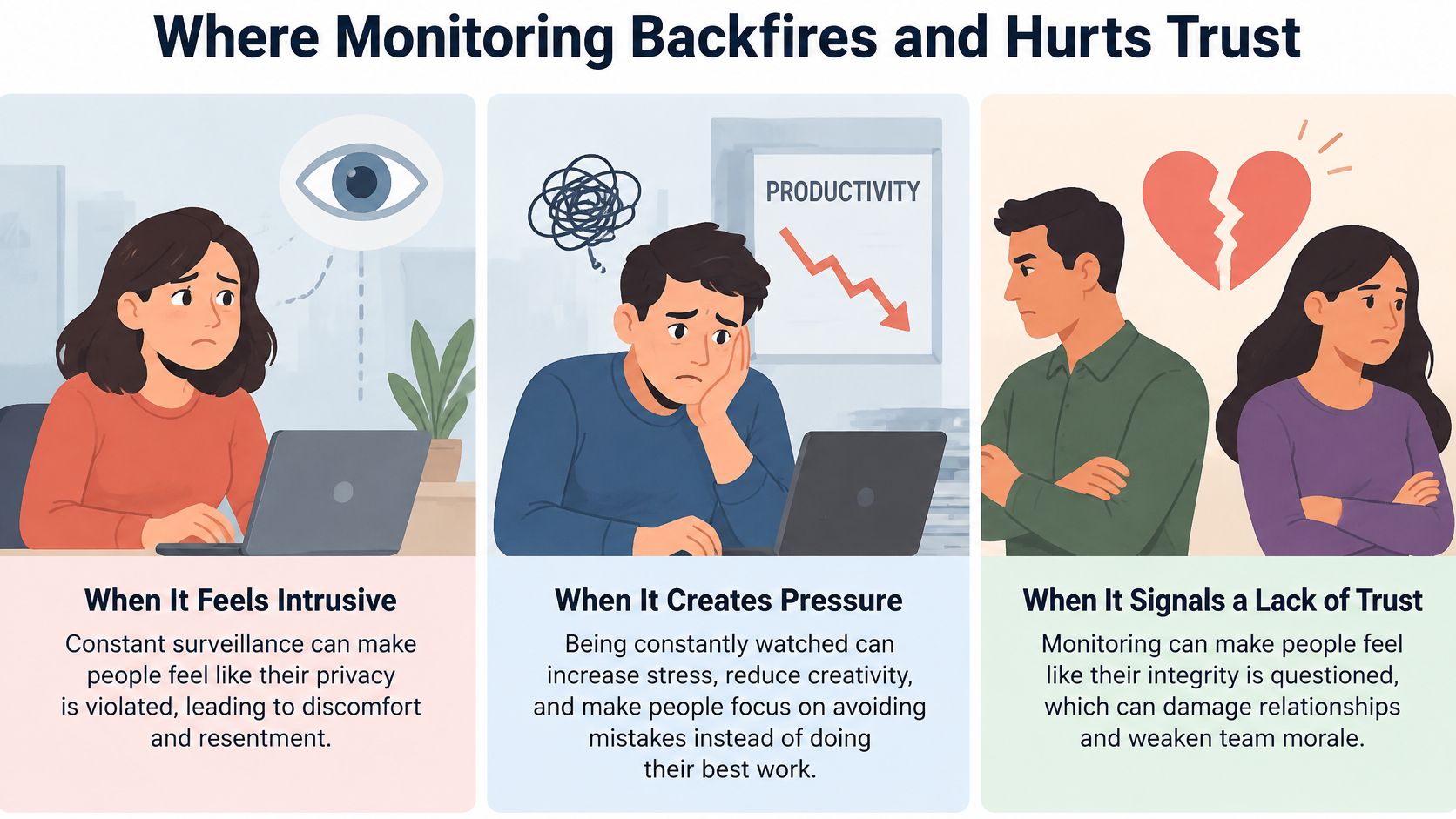
Always-on webcams. A face on screen cannot tell you whether a reconciliation is accurate. Judge the deliverable, not whether someone performs presence for a camera. If the books are clean and deadlines are met, the webcam adds little.
Screenshots every few minutes. Frequent captures can expose client data, create a security target, and encourage employees to leave a work-looking screen open. Use system-of-record logs tied to financial events, approvals, postings, and access instead.
Rewarding mouse movement. This rewards appearances and penalizes reading, analysis, and client calls. Use an outcome scorecard and review trends. For a distributed virtual team, presence metrics are especially weak when working hours differ across time zones.
Using raw activity data in reviews without context. A data migration, training block, or client outage can make activity look low without indicating poor performance. Let employees explain unusual results before managers draw conclusions, and correct inaccurate records.
The quiet fifth mistake is letting monitoring replace one-to-ones. Managers who rely on dashboards can miss burnout, confusion, or a client relationship going sideways. A direct conversation often surfaces these problems sooner than a report.
Trust test: Would an employee be surprised by what you collect, who can see it, or which decisions it informs? If the answer is yes, fix the policy before using the software.
Monitoring should support documented goals and quality reviews, not replace sound management. Set clear limits on data collection, explain how each measure relates to finance outcomes, and tell employees what decisions the information can inform. Otherwise, you risk paying to damage the trust that lets a remote team deliver accurate work.
Don't wait for the first missed close to decide how you'll measure the work. That's not a system, that's an autopsy.
Before the week ends, do three things. Pick five or six outcome metrics from the scorecard. Get signed acknowledgments for the one-page policy. Start the two-to-four-week baseline with targets left deliberately provisional.
Then book the first weekly review and the first monthly pulse check on real calendars, with real owners. A rhythm that starts before the first problem feels like support. A rhythm that starts after feels like prosecution.
The best-run remote finance teams define outcomes before the first invoice is sent. And if the actual gap is the hire itself, a good scorecard still needs a good accountant behind it, someone vetted for the work and available in your time zone from day one.
So, which metric will you measure first?
Put the scorecard in place, then staff it with people who can hit it. HireAccountants helps US companies hire pre-vetted accountants and finance professionals, many based in Latin America and working US time zones, so your closings, reconciliations, and forecasts are handled by proven specialists from day one. Visit the platform, browse candidates by specialty, and build a remote finance team you can measure by outcomes instead of watching by the minute.
Let's simplify your finances today!